Checkout that keeps up
Scan or tap, apply the discount, take cash or e-wallet, print. Nothing waits on a server round-trip.
- Barcode scanning with the device camera
- Cash, GCash and Maya with QR display
- Item and receipt-level discounts
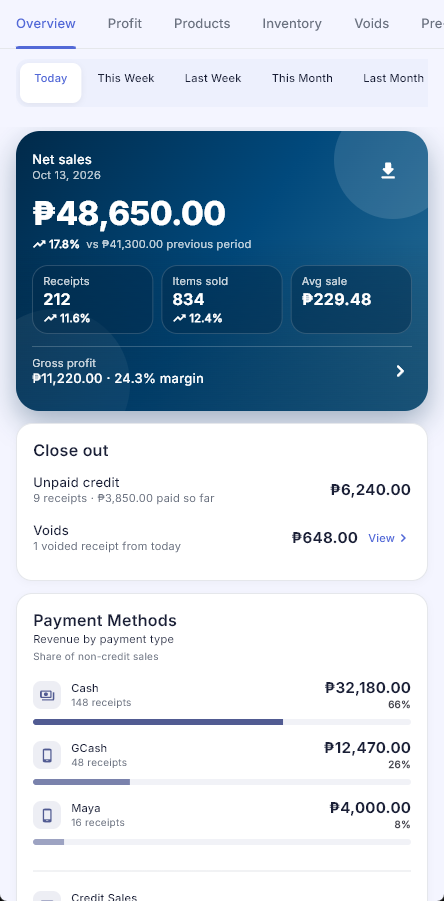
SellPoint tracks cost against price on every item, so each sale posts a real margin — not just a total. Reports compare this week to last, per product, so you can see which bestseller is quietly losing you money.
Margin per product · period-over-period comparison · exportable history
Not a trimmed-down cash register. The parts a small store actually fights with every day — shifts, stock, utang, suppliers — are built in.
Scan or tap, apply the discount, take cash or e-wallet, print. Nothing waits on a server round-trip.
Every movement is written down — who, when, why. Counts reconcile instead of starting arguments.
Open a shift, count the drawer, close it. The reading lists sales per payment method and flags the gap.
Revenue, profit margin, best and worst movers — compared against the period before, so a number means something.
Credit ledgers that balance. Record the collection, see what's still out, keep pre-orders in one list.
Export a portable backup any time. Add cloud sync when you want a second device or an off-site copy.
.posbackup with product photosCloud POS apps go quiet when the line drops. SellPoint writes to your device first — always — and queues the change. When signal returns, the queue drains and conflicts are flagged rather than silently overwritten.
.posbackup to your own storage any time — no cloud account required.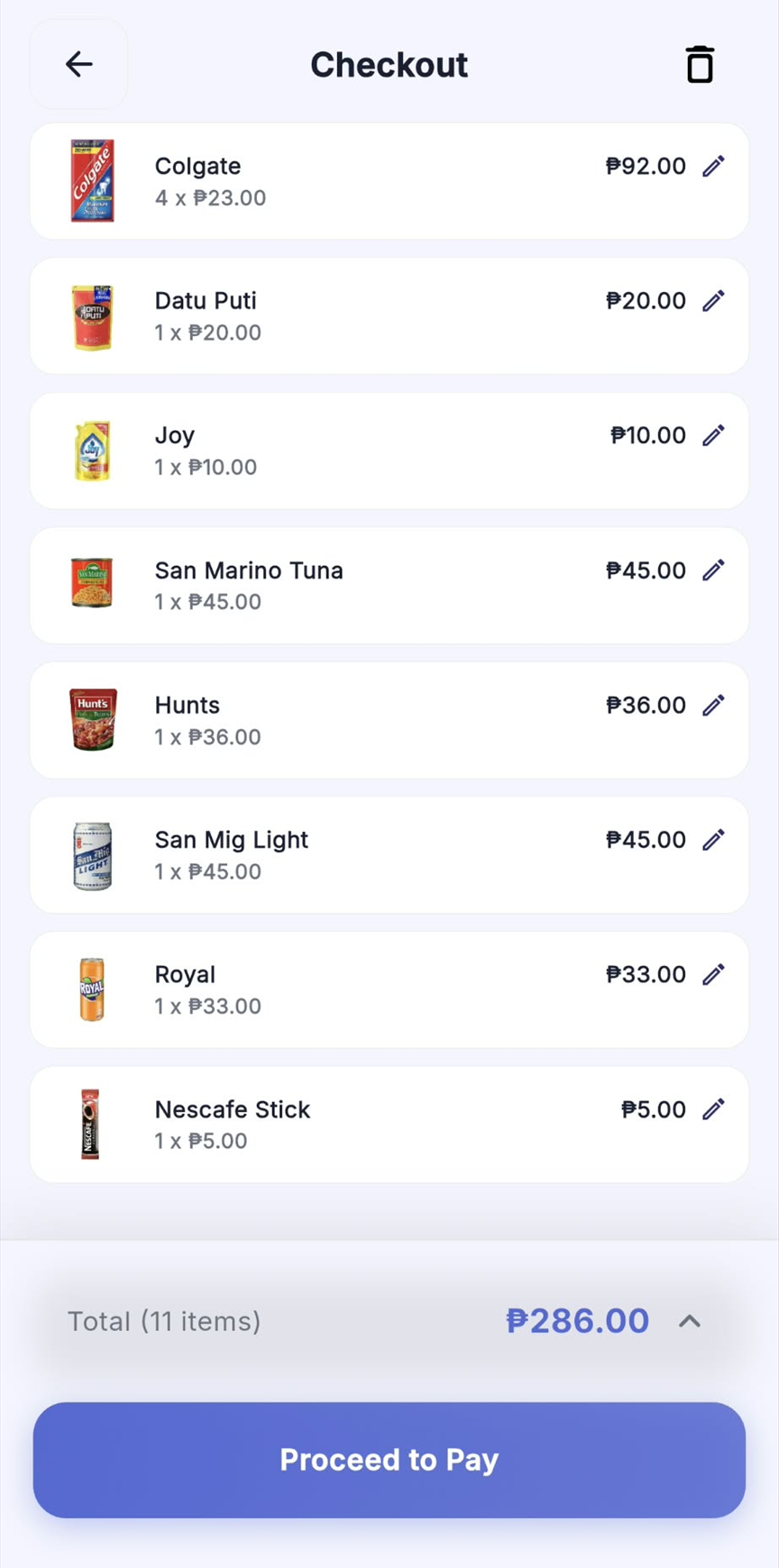
A receipt being built on the counter. Every line of it is written locally first — none of it waits on a connection.
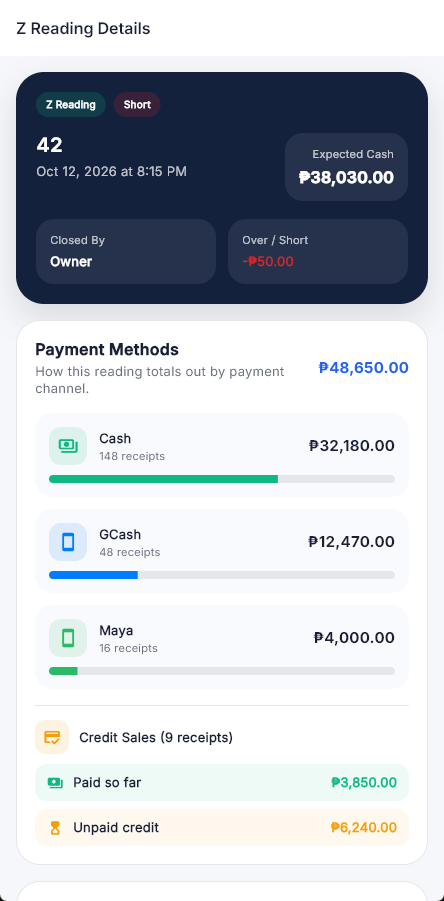
Every shift opens with a cash count and closes with a Z-reading. The gap between expected and counted is printed on the face of it — not buried three screens down where nobody looks.
Single counter or five branches — the app scales down to one tablet without pretending to be enterprise software.
No feature tiers, no per-transaction cut. You're choosing how long you pay for, not how much software you get.
Free
90 days, full app, one device. No card.
₱199/month
Flexible month-to-month access.
₱1,990/year
About ₱166 a month, billed yearly.
₱5,999once
Pay once. The app never expires.
Cloud sync ₱99/month or ₱990/year — second device, off-site copy, cloud restore.
Extra device slot ₱49/month or ₱490/year each — one more counter on the same store.
Prices in PHP, billed through Google Play. Add-ons are optional; the app works fully offline without them.
No. Selling, printing, stock, shifts and reports all run from the encrypted database on your device. Internet is only needed to buy or renew a plan, and for the optional cloud sync add-on.
Nothing is deleted — your sales, stock and customer records stay in the encrypted database on your device. An expired plan does stop at the renewal screen, so renew to open them again; access returns the moment payment clears. Keep a .posbackup export if you want a copy you can read off the device.
Yes, on separate devices with the cloud sync add-on plus one extra device slot per counter. A single plan covers one device by default.
Bluetooth ESC/POS thermal printers — the common 58mm and 80mm receipt models. Barcodes scan with the device camera, so no separate scanner is required.
Restore from a .posbackup file, or pull a full cloud snapshot if you have the cloud add-on. Device slots can be reassigned when you replace hardware.
Install it, add your products, open a shift. If it doesn't earn its keep by day 90, you've lost nothing.